
Last Updated: June 2026 | Reading Time: ~10 min
TL;DR - Quick Summary
⚡ Key Takeaways
- Only ~30% of LinkedIn users make their email publicly visible - you need multiple methods.
- Free methods: Check Contact Info, scan the bio/posts, use Google search operators, or guess the email pattern.
- Paid/tool methods: Chrome email finder extensions and bulk email enrichment platforms offer 90%+ accuracy.
- Always verify emails before sending - this protects your sender domain reputation.
- Combining LinkedIn + email outreach delivers up to 287% higher response rates than a single channel.
- Our LinkedIn Email Finder tool lets you extract and verify emails directly from profiles - no Premium required.
Why Finding Emails from LinkedIn Matters
LinkedIn is home to over 1 billion professionals - the richest B2B database on the planet. For sales reps, recruiters, and marketers, it's the go-to starting point for prospecting. But here's the problem: sending a connection request or InMail isn't always enough.
Email cuts through the noise. Research consistently shows that email outreach outperforms LinkedIn InMail in both response rate and cost efficiency. The real power, however, comes from combining both channels.So figuring out how to find linkedin email has become a bit of a tricky problem.
| Channel | Avg. Response Rate | Cost per Message | Scalability |
|---|---|---|---|
| LinkedIn InMail | ~18–25% | High (credits required) | Limited |
| Cold Email | ~20–30% | Low | High |
| LinkedIn + Email (combined) | Up to 49%+ | Medium | Very High |
| LinkedIn Message (1st-degree) | ~30–40% | Free | Limited by connections |
The bottom line: if you want scalable B2B outreach, you need to get someone's email from LinkedIn - not just their profile URL. This guide shows you exactly how to do it, from free manual tricks to automated tools.
What to Know Before You Start
Before diving into methods, here are three things that will save you time and frustration:
| Factor | What It Means | Impact on Your Search |
|---|---|---|
| Email Visibility Rate | ~30% of users publicly share their email | Most profiles won't show it - you need tools |
| Connection Level | 1st-degree connections see more info than 2nd/3rd | Connect first when possible to increase visibility |
| Manual Accuracy | Guessing email format: 40–50% accuracy | Always verify before sending |
| Tool Accuracy | Email Finder tools with verification: 90%+ accuracy | Tools dramatically reduce bounce rates |
| Compliance (GDPR / CAN-SPAM) | Collecting emails for outreach must follow regulations | Use data for legitimate business purposes only |
How to Find LinkedIn Email - 6 Proven Ways
We've organized these methods from simplest (free, manual) to most powerful (automated, scalable). Most users will want to combine two or three approaches.
| Method | Best For | Cost | Accuracy | Speed |
|---|---|---|---|---|
| 1. Check Contact Info | 1st-degree connections | Free | ~30% success | Instant |
| 2. Scan Bio & Posts | Freelancers, creators, SMB owners | Free | ~10–15% success | 2–3 min |
| 3. Google Search Operators | Anyone - manual one-off lookup | Free | ~40–60% | 3–5 min |
| 4. Guess Email Pattern + Verify | Known company, need specific contact | Free | ~40–50% | 5–10 min |
| 5. Chrome Email Finder Extension | Individual profile prospecting | Freemium / Paid | ~80–90% | Instant |
| 6. Bulk Email Finder Tool | SDR teams, large-scale campaigns | Paid | ~90–95% | Batch / Fast |
Method 1 - Check the Contact Info Section
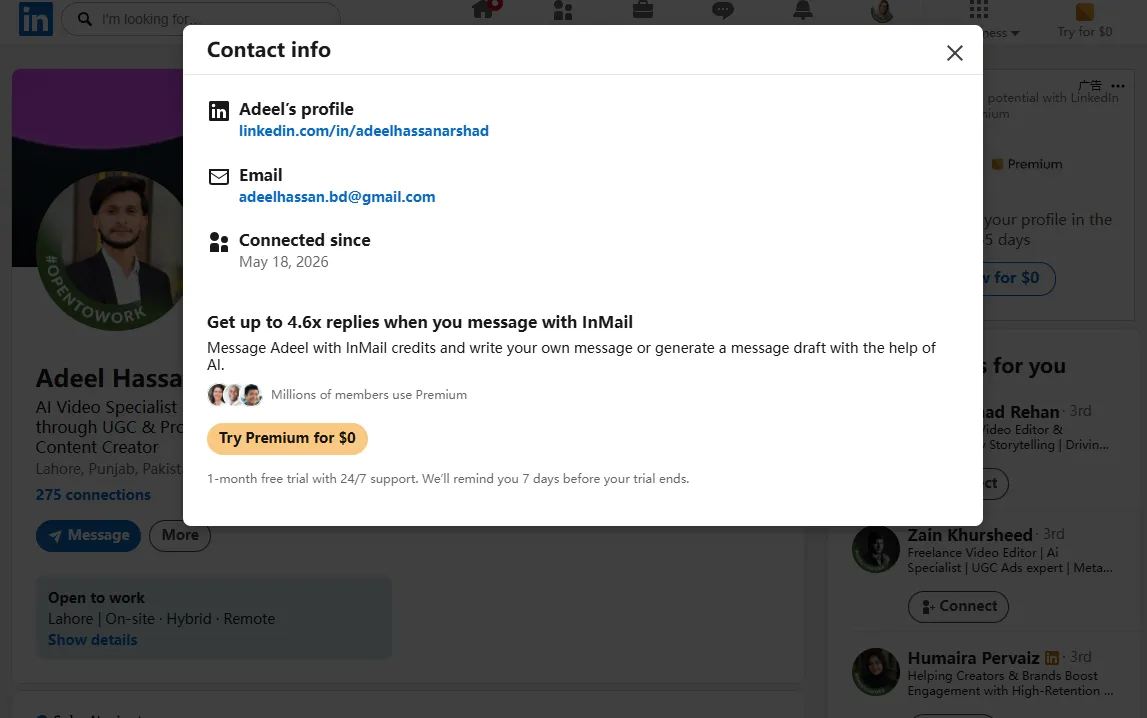
This is the most direct approach and should always be your first step. LinkedIn allows users to share their email address on their profile - but only to connections.
Step-by-step:
- Go to the person's LinkedIn profile.
- Click "Contact info" located just below their name and headline.
- A pop-up window will appear - look for an email address listed there.
- If visible, copy it. If not, proceed to the next method.
💡 Pro Tip
- You must be a 1st-degree connection to see email in Contact Info in most cases.
- If you're a 2nd-degree connection, consider sending a connection request first - many people share emails after connecting.
- If the email field is blank or hidden, it means the user has chosen not to display it.
Method 2 - Scan the Profile Bio, About Section & Posts
A surprising number of professionals - especially freelancers, consultants, coaches, and small business owners - drop their email address in their 'About' section or in the body of their posts.
Where to look:
- The 'About' section (scroll down past the headline)
- Featured section posts or links
- Recent activity / posts (some people pin contact posts)
- Job descriptions under Experience
Use Ctrl+F (Cmd+F on Mac) on the profile page and search for "@" to quickly spot any email addresses.
Method 3 - Use Google Search Operators (Free)
Google indexes a significant portion of LinkedIn profiles, including contact details people have made public. Smart search operators let you surface this data without any tools.
Useful search formulas:
| Goal | Google Search Operator Example |
|---|---|
| Find email on LinkedIn profile | site:linkedin.com/in "First Last" "@gmail.com" |
| Find work email from company | "First Last" "CompanyName" email |
| Discover email format from domain | "@company.com" -site:company.com |
| Find contact across web | "First Last" "company.com" contact OR email |
| Search for personal site with email | "First Last" site:about.me OR site:beehiiv.com |
This method works best for professionals who are active online beyond LinkedIn - consultants, thought leaders, speakers, and startup founders.
Method 4 - Guess the Email Pattern + Verify
Most companies use a consistent email format for all employees. Once you know the pattern, you can construct any email address and then verify it programmatically.
| Common Email Format | Example (John Smith @ Acme Corp) |
|---|---|
| firstname@ | [email protected] |
| firstname.lastname@ | [email protected] |
| f.lastname@ | [email protected] |
| flastname@ | [email protected] |
| firstname_lastname@ | [email protected] |
How to find the pattern:
- Search Google for "@acme.com" -site:acme.com to find exposed emails from that domain.
- Look at the email format of public employees you already know.
- Check data aggregator sites like Apollo, Hunter, or RocketReach for sample emails.
- Construct the email for your target using the identified format.
- Verify it using an email verification tool before sending.
⚠️ Important Note
- Never send emails to unverified addresses - high bounce rates will damage your sender reputation and can get your domain blacklisted.
- Always use an email verifier as the last step of this method.
Method 5 - Use a LinkedIn Email Finder Chrome Extension
This is the most popular method for individual prospectors. Chrome extensions sit on top of LinkedIn profiles and surface verified email addresses with a single click - no manual guessing required.
How it works:
- Install a LinkedIn email finder extension from the Chrome Web Store.
- Navigate to any LinkedIn profile.
- Click the extension icon - it queries its database and returns a verified email (if available).
- Copy the email and add it to your CRM or outreach sequence.
Popular tools in this category:
| Tool | Free Credits/mo | Accuracy | Best For |
|---|---|---|---|
| LinkedRadar | Generous free tier | 90%+ | Fast individual lookup + bulk |
| Hunter.io | 25 searches | High | Domain-based search |
| Kaspr | 5 credits | Very High | LinkedIn-native |
| Apollo.io | 50 exports | High | Full sales platform |
| Lusha | 5 credits | High | SMB & Enterprise |
Method 6 - Use a Bulk LinkedIn Email Finder Tool
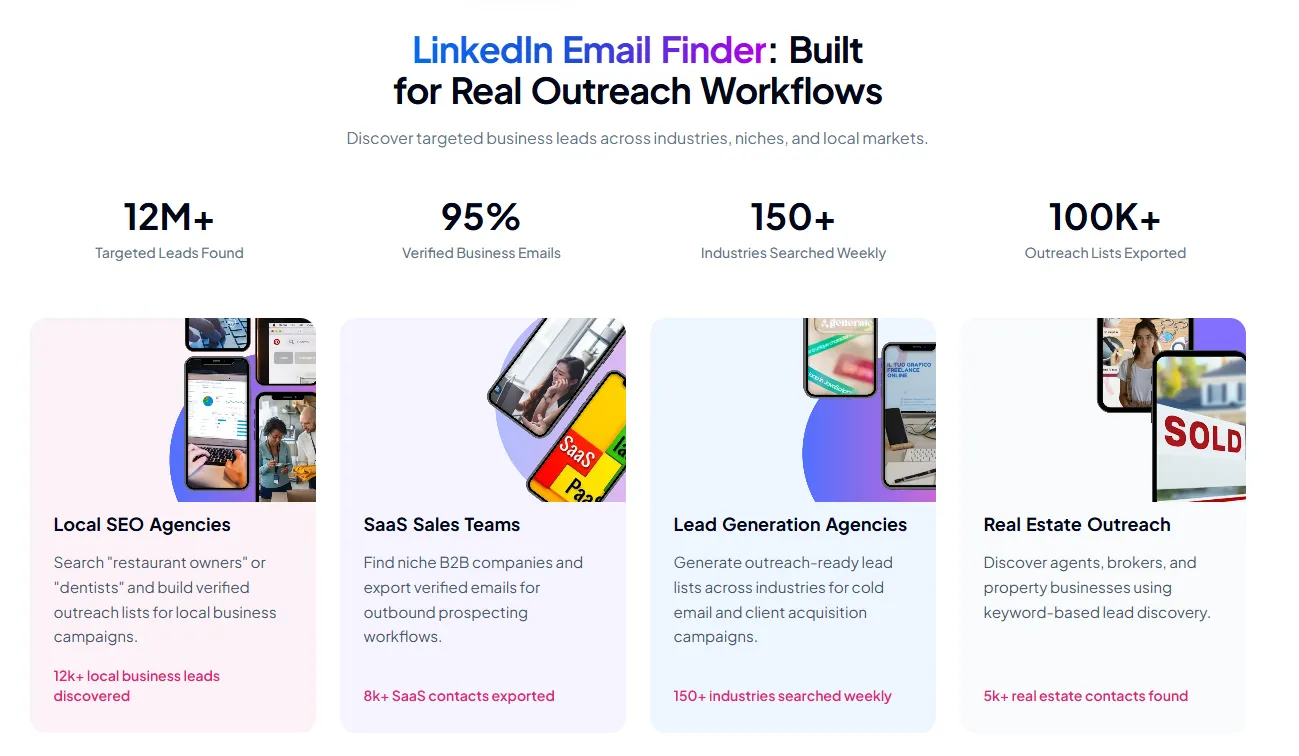
For sales teams, recruiters, and agencies running high-volume campaigns, manual methods don't scale. Bulk email enrichment tools let you upload a list of LinkedIn URLs, names (or keywords) and receive verified emails for the entire list automatically.
Typical workflow:
- Export a list of LinkedIn profile URLs or target industry keywords into a CSV file.
- Upload the CSV to a bulk email enrichment platform.
- The tool cross-references multiple data sources and verifies each email.
- Download the enriched CSV with verified emails ready for your outreach tool.
| Use Case | Team Type | Volume | Recommended Approach |
|---|---|---|---|
| Building SDR prospect list | Sales / BDR | 100–5,000/month | Bulk enrichment tool |
| Recruiting passive candidates | HR / Talent | 50–500/month | Extension + bulk tool |
| Agency lead generation | Marketing Agency | 500–10,000/month | Bulk tool + API |
| One-off founder outreach | Individual / Startup | 1–20/month | Free methods + extension |
| Account-based marketing | Enterprise Marketing | 50–200 accounts | Extension + CRM enrichment |
How to Find LinkedIn Emails Without Premium
You don't need a LinkedIn Premium or Sales Navigator subscription to find emails. Here's a summary of what's possible for free:
| Method | Requires Premium? | What You Can Do for Free |
|---|---|---|
| Contact Info section | No | View emails shared by 1st-degree connections |
| Bio / About scan | No | Read any public profile's About section |
| Google operators | No | Full Google search access, unlimited |
| Email pattern guessing | No | Manual construction + free verifiers available |
| Chrome email finder extension | No (most have free tier) | Limited free lookups per month (5–50) |
| Bulk enrichment tool | No | Free tiers typically offer 25–100 exports/month |
Bottom line: Premium unlocks expanded profile views and InMail credits, but it doesn't directly help you find emails. The methods above work entirely without it.
What to Do After Finding the Email
Finding the email is only half the battle. Here's how to maximize your success once you have it:
Step 1 - Verify Before Sending
Always run the email through a verifier before adding it to a campaign. Sending to invalid addresses hurts your sender score and can get your domain flagged as spam.
| Verification Result | Meaning | What to Do |
|---|---|---|
| Valid | Email exists and is deliverable | Safe to send |
| Catch-all | Domain accepts all emails - can't confirm specific address | Send with caution; personalize well |
| Risky | Email may exist but has history of bounces | Skip or verify further |
| Invalid | Email doesn't exist | Do not send - remove from list |
Step 2 - Personalize Using LinkedIn Profile Data
The LinkedIn profile you just found the email from is a goldmine of personalization signals. Use them:
- Reference their recent post, promotion, or company news in your opening line.
- Mention a shared connection, group, or alma mater if applicable.
- Speak to their specific role - what pain points does someone in that position face?
- Keep it short: 3–5 sentences max for a cold first email.
Step 3 - Follow a Multi-Channel Sequence
Don't rely on email alone. Pair your email outreach with LinkedIn touchpoints for dramatically higher response rates:
| Day | Channel | Action |
|---|---|---|
| Day 1 | View their profile (they'll see the notification) | |
| Day 2 | Send a personalized connection request | |
| Day 3 | Send cold email referencing the LinkedIn connect | |
| Day 5 | Like or comment on a recent post | |
| Day 8 | Follow-up email - short, adds new value | |
| Day 14 | Final LinkedIn message if no reply |
Frequently Asked Questions
Can I find someone's email on LinkedIn for free?
Yes. You can check their Contact Info section (works for 1st-degree connections), scan their About section, use Google search operators, or guess the email pattern using their company's domain. For more reliable results, most email finder tools offer a free tier with 5–50 lookups per month.
Why can't I see someone's email on LinkedIn?
There are two main reasons: (1) the person hasn't chosen to make their email visible in their privacy settings, or (2) you're not yet a 1st-degree connection. Even with Premium, LinkedIn doesn't override a user's privacy choices.
Is it legal to find and use emails from LinkedIn?
Finding emails for legitimate B2B outreach is generally permissible under CAN-SPAM (US) and similar frameworks, provided you: identify yourself clearly, offer an opt-out, and have a legitimate business reason for contacting the person. Under GDPR (EU), you should have a "legitimate interest" basis and always respect opt-outs. When in doubt, consult legal counsel for your specific jurisdiction.
How accurate are LinkedIn email finder tools?
| Method | Typical Accuracy | Notes |
|---|---|---|
| Manual guessing (no verification) | 40–50% | High bounce risk |
| Manual guessing + free verifier | 60–70% | Acceptable for small lists |
| Chrome extension (with verification) | 80–90% | Good for individual lookups |
| Bulk enrichment tool | 90–95% | Best for large-scale campaigns |
| Contact Info (user-confirmed) | ~100% | Only available to connections |
What is the best LinkedIn email finder tool?
The best tool depends on your use case. For individual lookups, a Chrome extension offers the fastest workflow. For teams doing bulk prospecting, a dedicated enrichment platform is more efficient. Our LinkedIn Email Finder is designed to cover both use cases - individual profile lookups and bulk CSV enrichment - with built-in email verification, so you don't need multiple tools.
Does LinkedIn block email finder tools?
LinkedIn periodically updates its terms of service and rate limits to restrict direct platform collection. Reputable email finder tools work within these constraints by using permissioned data partnerships and cross-referencing multiple sources rather than direct platform collection. Always use tools that are transparent about their data sourcing methods.
Start Finding LinkedIn Emails Today
🚀 Try Our LinkedIn Email Finder - Free
- Find verified emails from any LinkedIn profile in one click - no Premium required.
- Built-in email verification so you never send to a dead address.
- Supports both individual lookups and bulk CSV enrichment.
- Run online, no software installation needed and get started in under 2 minutes. and get started in under 2 minutes.
- Free tier available - no credit card required.
👉 Get started free → https://soleads.ai/linkedin-email-scraper
Build your next lead list